- Login to your AutoSweet account by going to https://ace.autosweet.com/
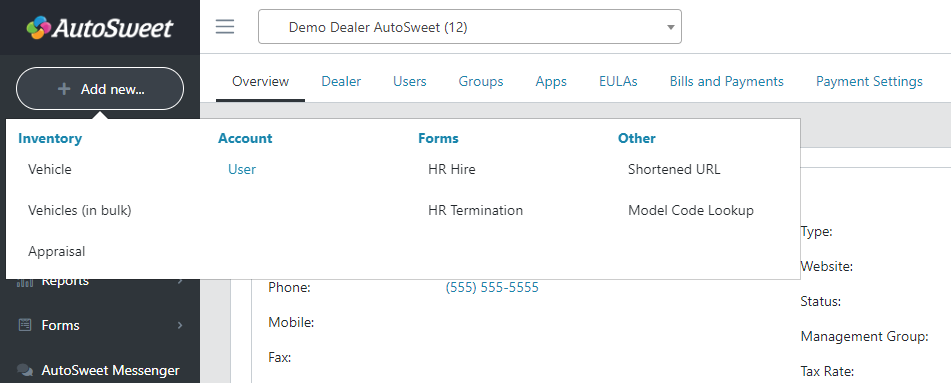
- In the top left corner, click “Add New” and then select “User”
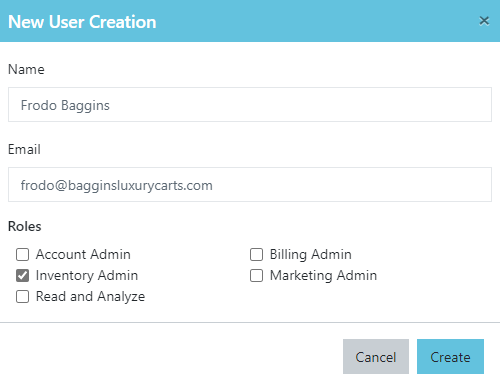
- Input the Name, Email, and Role(s) you’d like the new user to have.
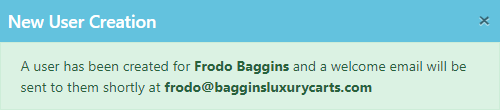
- A success message will pop up alerting you a user has been created. That user will receive an email, and they will be able to follow the instructions in that email to login to the AutoSweet system.